Checking your stats used to mean opening the dashboard, exporting a CSV, and doing the math yourself. Same for comparing rates, same for working out what a traffic increase would actually earn you.
Now you just ask:
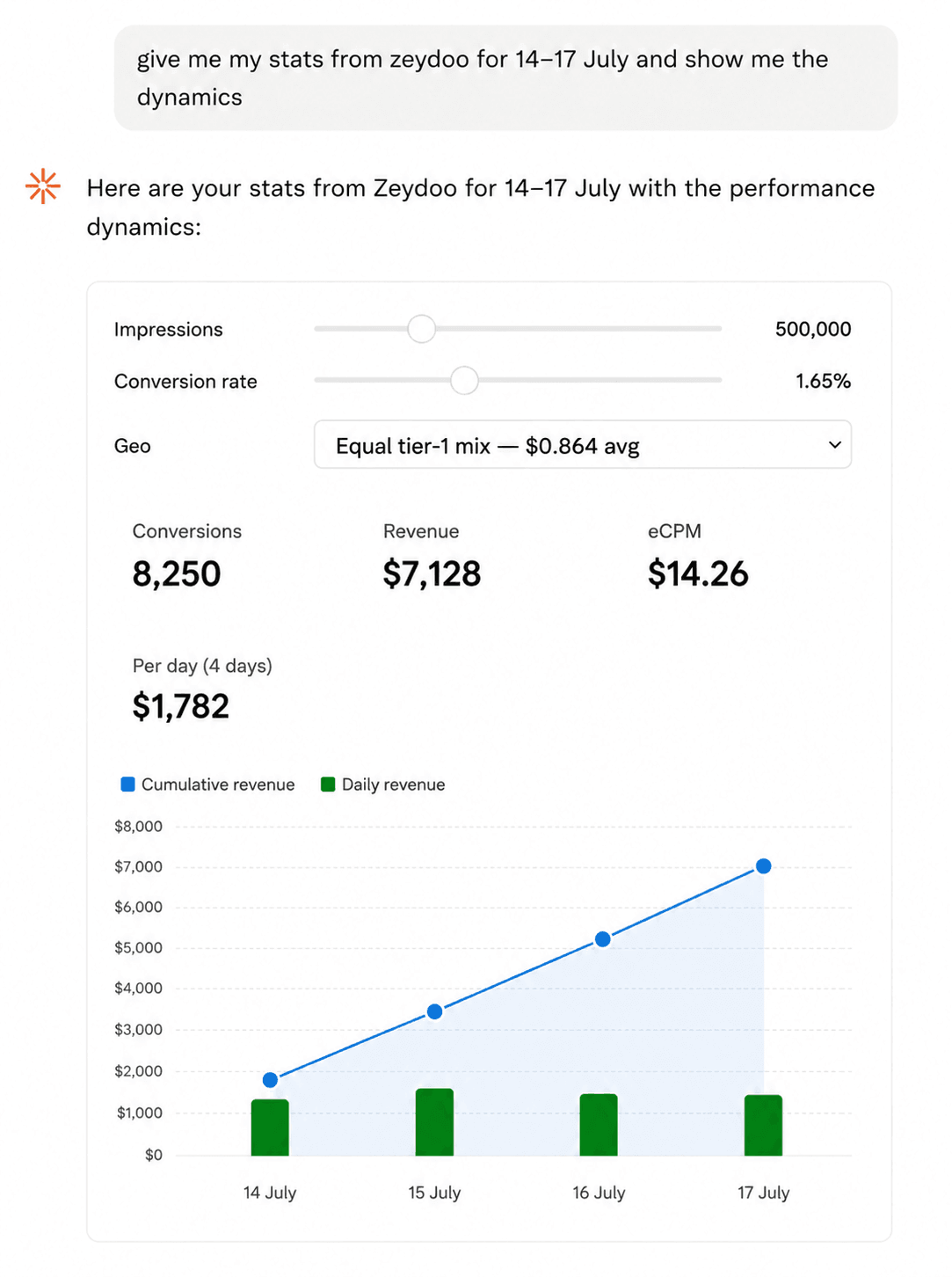
‘How much did I make last week, and what dropped?’ – or whatever else.
The Zeydoo MCP connector links your publisher account to an AI assistant. The assistant queries the API itself, pulls the data, and answers in plain language with no exports, no pivot tables, or switching tabs.
Table of contents
Why you’d want this?
- It kills the busywork. A report that took 15 minutes of exporting and merging now takes one question.
- It finds money sitting in plain sight. Payout rates inside a single account vary by orders of magnitude, and different offers target different country sets. Nobody tracks those gaps by hand – the assistant compares rate cards in seconds and shows you where you’re sending a geo to the offer that pays least for it.
- It helps you decide, not just look. Ask ‘what dropped and why’ or ‘what happens if I double volume’ instead of hunting for the answer in a dashboard.
Karina Arkhangelskaya, Zeydoo Sales Director:
Affiliate marketing is a fast-paced industry where every minute of your time is money – whether you’re working solo or as part of a bigger team. AI automations make your everyday routine faster, and that alone makes you more efficient. Zeydoo MCP steps up as one more tool we suggest adding to your set – whether you’re already an automation pro or just starting out in media buying. Set it up today to speed up media buying with Zeydoo’s offers.
What Can the Connector Do In Detail?
Four skills, all read-only which means the connector looks at your account but changes nothing in it.
Statistics
Pulls requests, impressions, conversions, and revenue for any date range. Breaks data down by day, zone, geo, platform, or your own request variables. Filters by specific zones and countries, and reports in the timezone you want.
In practice: instead of ‘export and merge’, it’s ‘show me the geo breakdown for the last two weeks and tell me which zone dropped.’
Your offers and rates
Shows the offers approved for you, with the full per-country payout grid for each.
This is usually where the overlooked money is. Rates inside one account differ by tens of times, and different offers target different country sets – it’s easy to spend months sending a geo to an offer that pays the least for it, or doesn’t cover it at all. The assistant compares grids across offers and shows you where you’re leaving money behind.
Offer catalogue
Returns the full list of offers available for you to pick up. Useful for quickly checking whether something fits your traffic better than what you’re running now.
Balance
Current balance and the amount on hold, in one question, without opening the interface.
More features are coming soon. If there’s anything specific you’d like to see in the Zeydoo connector, let your Account Manager or our support team know: we’ll add it to our product backlog and use it to make the product better for you.
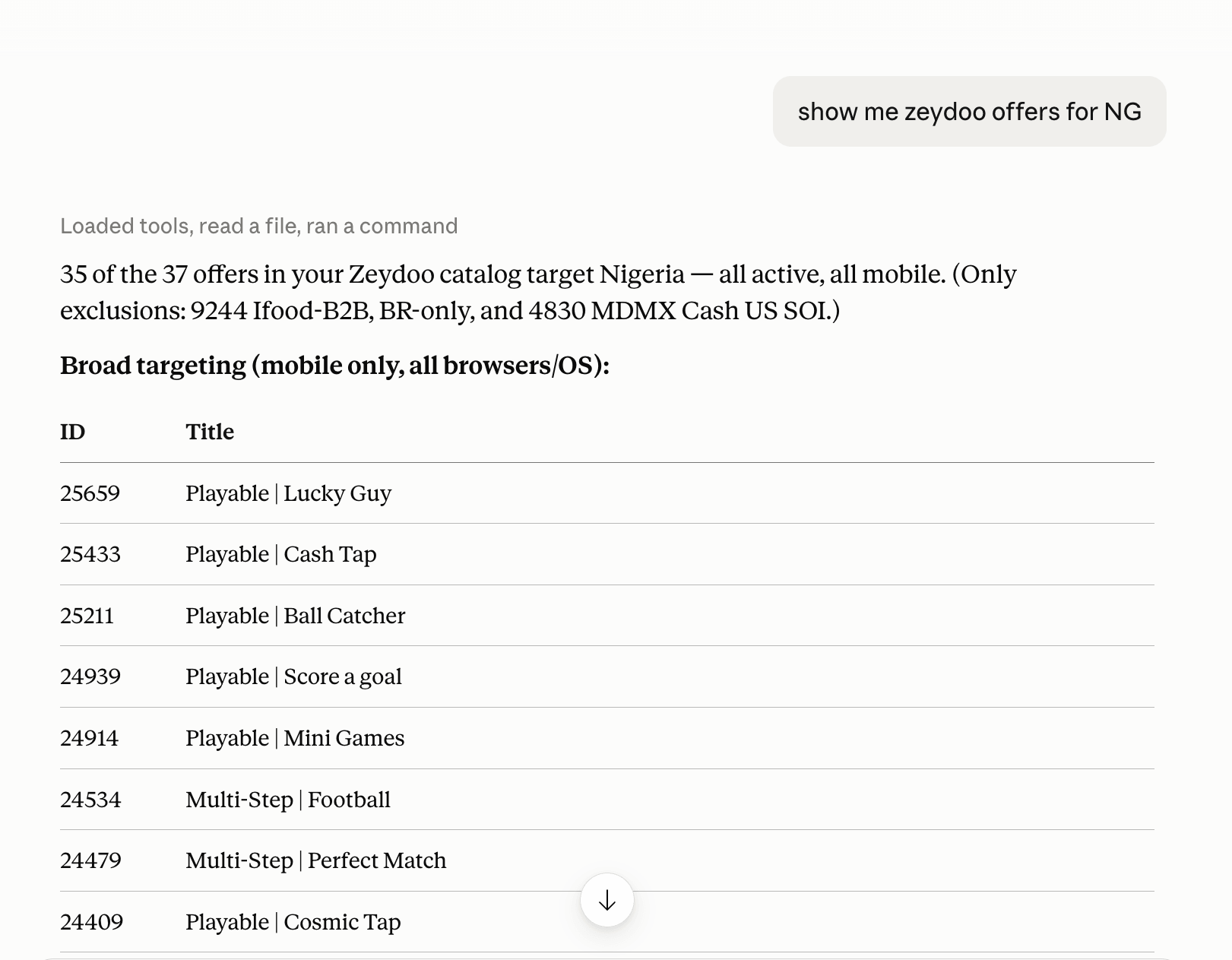
Examples
How to set it up?
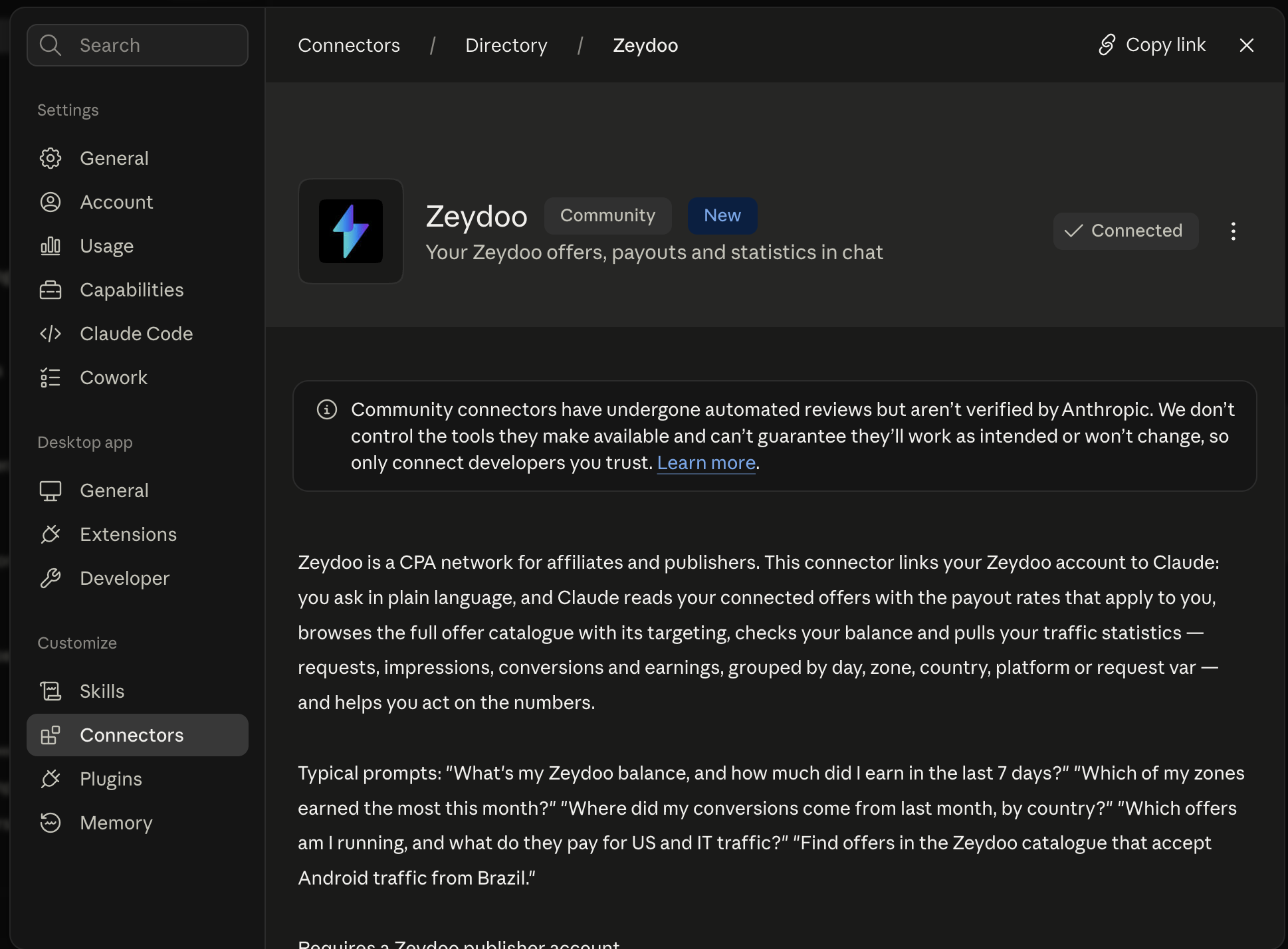
The Zeydoo connector is now listed in Anthropic’s official connectors directory. You can add it straight from its directory page — no manual install, and Anthropic screens every listing before it goes into the catalog, so you know you’re adding the real connector.
- Open the Zeydoo connector page in the Anthropic directory and connect it in Claude.
- Paste your Zeydoo API key when prompted.
- Prefer to install it yourself? Download the connector and follow the instructions there.
FAQ
How safe is this?
The connector cannot change anything in your account. All four skills are read operations: statistics, offers, rates, balance. It has no functions that alter settings, edit zones, touch payouts, or initiate withdrawals. Even if you asked it to, the assistant has nothing to do it with.
What can the connector see?
Only what’s already available to you in your account: your statistics, your approved offers and their rates, the catalogue of available offers, and your balance. Nothing beyond your own account – other publishers, network internals, and advertiser data are all out of reach.
Where does my API key go?
The key is stored in your AI client’s settings and used only to make Zeydoo API requests on your behalf. You can revoke it in your account at any time, and access stops immediately.
Can I turn it off?
Any time – remove the connector in your client’s settings, or revoke the API key in your Zeydoo account.